Ubuntu for desktops
Learn how the Ubuntu desktop operating system powers millions of PCs and laptops around the world.
完成
Ubuntu comes with everything you need to run your organisation, school, home or enterprise. All the essential applications, like an office suite, browsers, email and media apps come pre-installed and thousands more games and applications are available in the Ubuntu Software Centre.

Open source
Ubuntu has always been free to download, use and share. We believe in the power of open source software; Ubuntu could not exist without its worldwide community of voluntary developers.
安全
With a built-in firewall and virus protection software, Ubuntu is one of the most secure operating systems around. And the long-term support releases give you five years of security patches and updates.
无障碍使用
Computing is for everyone regardless of nationality, gender or disability. Ubuntu is fully translated into over 100 languages and includes essential assistive technologies.
Benefits for all industry sectors


Looks great on the latest devices
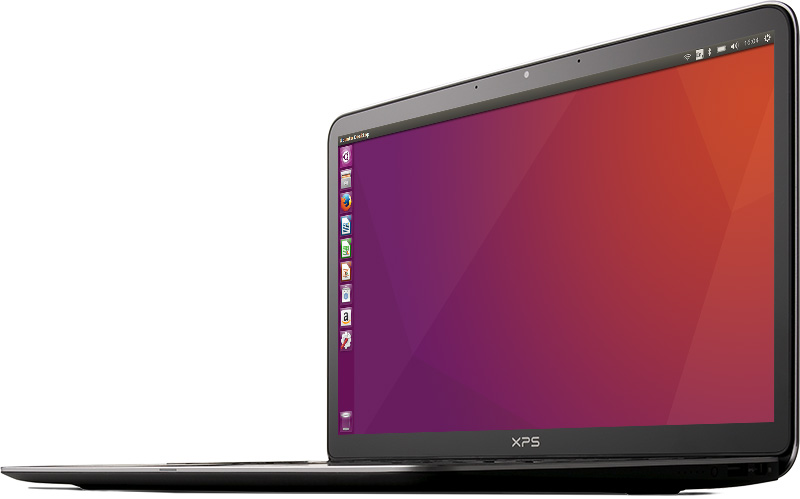
Ubuntu is designed to work beautifully on the latest laptops, desktops and touch screen devices, it looks incredible on high resolution screens — and with touch screen enhancements and interface refinements including individual menu bars in each application window, it’s now even easier to use.
Available on a huge range of hardware
Canonical works with the world’s leading computer manufacturers to certify that Ubuntu works on a huge range of devices. It means that Ubuntu is now available at thousands of retailers across China, India, South East Asia and Latin America.
And Ubuntu isn’t just for the desktop, it is used in data centres around the world powering every kind of server imaginable and is by far, the most popular operating system in the cloud.
Support and management
Ubuntu Advantage is the professional support package from the experts at Canonical. Get 24x7 support with access to engineers with first-hand experience of your issues. It includes Landscape, the Ubuntu systems management tool, for monitoring, managing, patching, and compliance reporting on all your Ubuntu desktops.
Canonical 支持
Canonical is a global software company and the number-one Ubuntu services provider. Companies can choose to receive expert training, support or consultancy for a fee that goes towards the continued development of Ubuntu.

繁荣的社区
想要跟其他Ubuntu用户直接沟通吗?您可以跟我们由IT专业人员组成的庞大且活跃的社区分享您的想法,获取建议和帮助。作为一个社区,我们很友善而且宽容,我们欢迎您的问题和贡献。
哪里找到我们


下载并安装
Download Ubuntu desktop and replace your current operating system. It’s easy to install on Windows or Mac OS, or, run Ubuntu alongside it.


Specially for China
Ubuntu Kylin was created for China. Includes all features, plus essential Chinese applications. Designed to put Chinese users first.